How Do I Set Up Broadband in My UK Home?
Ah, the sheer joy of finally getting your keys to a new place in the UK! I remember that feeling – a mix of excitement, exhaustion, and an overwhelming to-do list that seemed to stretch from London to Glasgow. Amidst the exciting chaos of settling into your new UK home, surrounded by boxes that a great moving service like Sirelo might have delivered, one of the first things you'll desperately crave is a reliable internet connection. This guide is here to walk you through the often-confusing process of setting up broadband in your new UK digs, cutting through the jargon and giving you the actionable steps you need to get online as smoothly as possible.
Decoding the UK Broadband Maze: What You Need to Know
Let's be honest, life without internet these days is practically unthinkable, especially when you're an expat trying to navigate a new country, connect with family back home, or simply stream your favourite shows. But the UK broadband market can feel like a bit of a bewildering beast, with all sorts of acronyms and promises of superfast speeds. Don't worry, I've been there, staring blankly at comparison websites, so let’s break it down.
The Different Flavours of UK Broadband
When you start looking, you'll hear about a few main types of broadband. Knowing the difference will help you understand what's available at your specific address and why some speeds are faster (and pricier) than others.
-
ADSL (Standard Broadband): The Old Guard
This is your traditional, old-school broadband that comes through copper telephone lines. It’s generally the slowest option, with average speeds of around 10-15 Mbps (megabits per second). While it's largely being phased out by providers and fibre is taking over, you might still encounter it, particularly if you're in a very rural area where fibre hasn't quite reached yet. For most expats in towns and cities, you probably won’t even consider this, and honestly, you shouldn't if faster options are available. Downloading a big file on ADSL feels like watching paint dry. -
Fibre to the Cabinet (FTTC): The Hybrid Hero
This is what most of the UK currently has. With FTTC, fibre optic cables run from the exchange right up to a street cabinet near your home. From that cabinet, the internet signal travels the rest of the way to your house using the existing copper telephone wires. It's a hybrid system, giving you significantly faster speeds than ADSL, typically ranging from 30 Mbps up to around 80 Mbps. Most major providers like BT, Sky, and TalkTalk offer FTTC, and it's usually a solid, reliable choice for general household use, streaming, and even some remote working. This is often marketed as "Superfast Fibre." -
Fibre to the Premises (FTTP) / Full Fibre: The Gold Standard
Ah, full fibre! This is the dream. With FTTP, the fibre optic cable runs directly into your home, bypassing the old copper wires entirely. This means incredibly fast and consistent speeds, often advertised in gigabits per second (Gbps) rather than Mbps, potentially reaching 1,000 Mbps (1 Gbps) or more. It’s a game-changer for heavy internet users, big families, or anyone working from home with large file transfers or video conferencing needs. The catch? While its rollout is accelerating rapidly across the UK, it’s still not available everywhere, especially outside major urban centres. Checking availability with your postcode is absolutely crucial for this one. -
Cable Broadband (Virgin Media): The Distinct Network
Virgin Media operates its own separate network, distinct from the Openreach (BT-owned) infrastructure that most other providers use. This means they can offer incredibly fast speeds, often comparable to full fibre, to properties within their coverage area. If your new home is in a Virgin Media area, they're definitely worth considering, especially if speed is your top priority. However, because it's a separate network, if your home isn't in their service area, you simply can't get it. -
5G Home Broadband & Satellite: Emerging and Niche Options
5G home broadband is a newer player, offered by mobile networks like EE, Vodafone, and Three. It uses a 5G signal picked up by a router in your home, meaning no need for a landline or fixed line installation. It's fantastic for immediate connectivity, especially if you're in a strong 5G area, and can be a brilliant temporary solution when you first arrive. Satellite broadband, on the other hand, is a niche option, usually reserved for very remote areas where fixed lines simply aren't an option. It can be expensive and have higher latency, so it’s not typically a go-to for most expats.
Essential Broadband Lingo for Newcomers
Navigating provider websites and comparison tools means wading through a lot of jargon. Here’s a quick cheat sheet for the key terms you’ll encounter:
-
Download/Upload Speeds (Mbps/Gbps): This refers to how fast data can travel to (download) or from (upload) your device. Most providers highlight download speeds because that's what you do most (streaming, browsing). Upload speed is vital if you work from home, make lots of video calls, or upload large files. Speeds are measured in megabits per second (Mbps) or gigabits per second (Gbps, which is 1000 Mbps). For most households, 50-100 Mbps download is ample, but heavy users might crave 200 Mbps+ or even a full Gbps.
-
Contract Lengths: Broadband contracts in the UK typically range from 12, 18, or 24 months. Longer contracts often come with lower monthly prices or better initial deals, but they lock you in. As an expat, flexibility might be appealing, especially if you're unsure about your long-term plans or if your rental agreement is shorter. However, short-term or rolling monthly contracts (often found with 5G home broadband) are usually more expensive.
-
Router: This is the small box the internet provider sends you. It’s what connects to your broadband line and broadcasts the Wi-Fi signal around your home. Most providers supply a router as part of your package, and you’ll usually need to return it if you cancel your service.
-
Line Rental: For traditional ADSL and FTTC broadband, you technically pay for the telephone line infrastructure. However, for years now, most providers bundle this cost into your monthly broadband fee, so you won't usually see it as a separate charge unless you opt for a very specific, old-fashioned package. For full fibre and 5G home broadband, there's no traditional telephone line involved, so it's a non-issue.
-
Activation/Setup Fees: Many providers will charge a one-off fee to get your service up and running. This might cover the cost of sending out an engineer, preparing your line, or simply processing your order. Always check for this hidden cost when comparing deals.
Your Step-by-Step Guide to Getting Connected in Your New UK Home
Alright, now that we've demystified the terminology, let’s get down to the brass tacks of actually getting that glorious internet flowing into your home. This is where the rubber meets the road, and a bit of preparation can save you a lot of headaches.
The Crucial First Step: Checking Availability and Comparing Deals
Before you fall in love with a superfast fibre deal, you absolutely must check what's available at your specific postcode. This is non-negotiable.
-
The Postcode Checker is Your Best Friend: Every provider’s website has one, and I recommend using Ofcom's official checker as well, as it’s an independent regulator. Just pop in your full UK postcode, and it will tell you which types of broadband (ADSL, FTTC, FTTP, Cable) are available at your address and from which networks. This is especially important for How to Set Up Broadband and a TV Licence in the UK, as availability directly impacts your choices.
-
Major Players and Beyond: You'll see familiar names like BT, Sky, Virgin Media, TalkTalk, EE, and Vodafone. These are the big boys, offering a range of speeds and packages. But don't overlook smaller, often highly-rated providers like Plusnet, Zen Internet, or even regional full fibre specialists like Gigaclear if you're in their area. Sometimes, these smaller providers offer excellent customer service or competitive pricing.
-
Comparison Websites: Your Digital Shopping Mall: Sites like Uswitch, Compare the Market, and MoneySuperMarket are invaluable tools. They allow you to input your postcode and see a side-by-side comparison of deals from various providers, showing speeds, prices, contract lengths, and any setup fees. Always use these, but also do a quick check on the provider's direct website, as sometimes they offer exclusive deals not listed elsewhere.
-
Bundled Deals: Are They Worth It for Expats? Many providers will try to tempt you with bundles that include broadband, TV packages, and a landline phone. For some, these can offer good value, but for many expats, a landline might be unnecessary (you'll probably rely on your mobile), and the TV channels might not be what you're used to. Think carefully about whether you'll genuinely use all parts of a bundle before committing.
Choosing a Package and Placing Your Order
Once you know what’s available, it’s time to pick your poison.
-
Match Speed to Your Lifestyle:
- Light User (1-2 people): Browsing, emails, occasional streaming. 30-50 Mbps might be fine.
- Medium User (2-4 people): Regular streaming (Netflix, YouTube), some online gaming, occasional video calls. 50-100 Mbps is a good sweet spot.
- Heavy User (4+ people, remote work, hardcore gaming, 4K streaming): Multiple devices, constant activity. 100-500 Mbps, or even full fibre (1 Gbps+), will prevent arguments over buffering.
Consider your future needs too; many expats end up Working Remotely from the UK: The Definitive Expat Guide (2027), making a robust connection crucial.
-
Understanding the Contract and the Small Print: Pay close attention to the contract length. Can you easily leave if you need to move or return home? What are the early termination fees? These can be hefty, so clarity here is vital.
-
Required Documents: The Expat Gauntlet: This is often where expats hit their first big hurdle. Providers will usually ask for proof of identity (passport, BRP – Biometric Residence Permit) and, critically, proof of address. This can be tough when you’ve just arrived and haven't built up UK utility bills or bank statements yet. We'll delve into this more in the next section, but be prepared for this challenge.
-
Installation Options: DIY vs. Engineer:
- Self-install: If your property has had broadband before and the line is active, the provider might send you a router to plug in yourself. This is usually the quickest and cheapest option.
- Engineer visit: If you're moving into a brand-new build, a property that's never had broadband, or if your line needs activating/repairing, an engineer will need to come to your property. This will incur a setup fee and require you to be home. They'll typically install a new master socket if needed and ensure the line is working.
The Waiting Game: From Order to Activation
Once you've placed your order, it's a bit of a waiting game, which can feel interminable when you're itching to get online.
-
Typical Lead Times: For a self-install, you might receive your router within a few days to a week, and your service could be active almost immediately upon plugging it in. For an engineer install, you could be looking at 1-3 weeks, depending on demand and the complexity of the work. Always confirm the estimated activation date when you place your order.
-
What to Do if There Are Delays: Things can go wrong, lines can be unexpectedly faulty, or engineers can be delayed. If your activation date passes and you're not connected, contact your provider's customer service immediately. Keep a record of all communication.
-
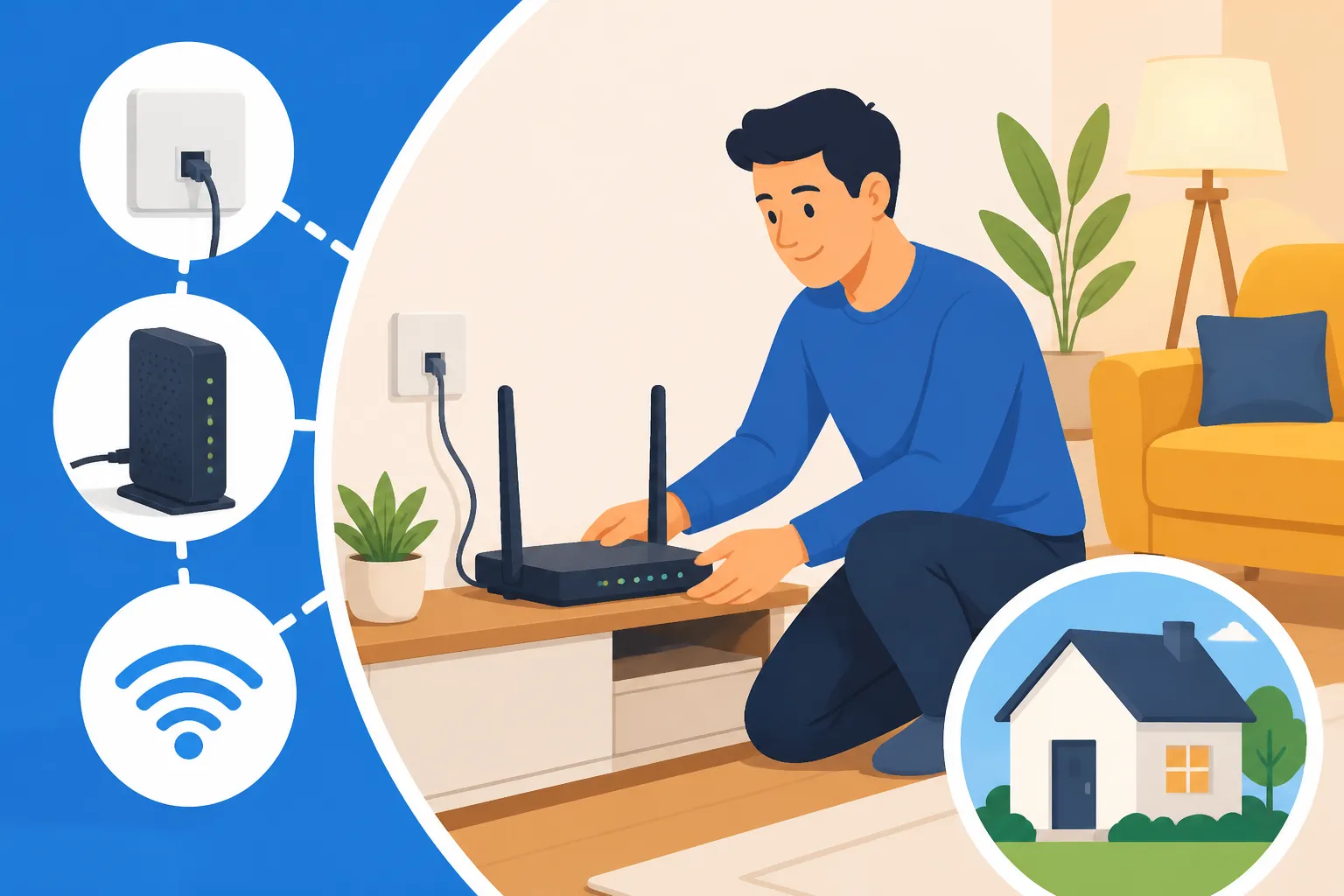
Getting Your Router and Setting It Up: Your new router will arrive by post. Inside, there will be straightforward instructions. Usually, it's a case of plugging it into the master telephone socket (if you have one) or into the fibre optical network terminal (ONT) box (for full fibre) and then into the power. Give it 5-10 minutes to boot up and connect to the network. Your Wi-Fi name (SSID) and password will be printed on the back or bottom of the router.
| Broadband Type | How it Connects | Typical Speeds (Download) | Best For (Expat Use) | Pros | Cons (Expat Considerations) |
|---|---|---|---|---|---|
| ADSL | Copper phone line | 10-15 Mbps | Very light use, extremely rural areas | Widely available, very cheap | Very slow, unreliable for modern needs |
| Fibre to the Cabinet (FTTC) | Fibre to cabinet, copper to home | 30-80 Mbps | Standard household, streaming, WFH, small families | Good balance of speed & cost, widely available | Not as fast as full fibre, copper part can be a bottleneck |
| Fibre to the Premises (FTTP) | Fibre directly to home | 100 Mbps – 1 Gbps+ | Heavy users, multiple devices, 4K streaming, serious WFH | Extremely fast & reliable, future-proof | Not yet universally available, can be more expensive |
| Cable (Virgin Media) | Virgin's own coax cables | 50 Mbps – 1.1 Gbps+ | Heavy users, streaming, gaming (if available) | Very fast, distinct network | Limited availability (check postcode), less choice of providers |
| 5G Home Broadband | Mobile 5G network (via dedicated router) | 50 Mbps – 300 Mbps+ (area dependent) | Temporary, renters, immediate need, no landline required | Quick setup, no engineer needed, flexible contracts | Performance varies on 5G signal, often data caps, can be pricier |
Expat-Specific Hurdles and Smart Solutions
As an expat, you often face unique challenges that locals don't. Setting up broadband is no exception. From proving you actually live here to understanding different billing methods, it can feel like a gauntlet.
Tackling the Proof of Address Predicament
This is perhaps the biggest headache for new arrivals. Many utility providers, including broadband companies, require proof that you live at your given address to set up an account and run a credit check. But how do you get proof of address when you haven’t yet set up any utilities? It’s a classic Catch-22!
-
Validate the Frustration: Trust me, you are not alone in this. I remember trying to get a simple bank account without a utility bill in my name – it felt impossible! This is a common barrier for newcomers.
-
Digital Banks to the Rescue: Often, newer digital-first banks like Monzo or Revolut are more lenient with their initial proof of address requirements than traditional high street banks. They might accept a tenancy agreement or a letter from your employer. Once you have an account with them and start receiving statements, that can then be used as proof of address for other services. This is a crucial step for The Expat Guide to Opening a Bank Account in the UK.
-
Bridging the Gap with Temporary Solutions: While you're sorting out your official documents, don't suffer in silence! Mobile broadband (using a MiFi device or a phone hotspot) or even a pay-as-you-go SIM with a generous data allowance can be a lifesaver. Providers like Airalo offer eSIMs for immediate data access, which can be a brilliant short-term fix while you wait for your fixed-line broadband to be installed.
-
Ask Your Landlord or Estate Agent: In some cases, your landlord or letting agent might be able to provide a letter confirming your residency, which some providers might accept. It's worth asking, though their willingness to do so varies.
Flexibility and Finances: Contracts, Credit Checks, and Costs
Another area where expats face a unique challenge is around credit history and contract flexibility.
-
The Credit Check Hurdle: When you move to the UK, you effectively have no credit history here. Providers use credit checks to assess your reliability in paying bills. A lack of credit history isn't necessarily a bad credit score, but it means they can't assess your risk. This can lead to:
- Rejection: Some providers might outright reject you for longer-term contracts.
- Deposit Requirements: Others might ask for a security deposit, which will be refunded after a certain period of on-time payments.
- Limited Options: You might find yourself steered towards shorter, more expensive contracts or mobile broadband options.
-
No-Contract or Short-Term Options: If a long-term contract is proving difficult or undesirable, explore providers offering 30-day rolling contracts or 12-month options with less stringent credit checks. These often come with a slightly higher monthly fee but give you the flexibility you might need, especially if your initial stay is uncertain. This is a factor in calculating The Complete Guide to Cost of Living in the UK for Expats (2026).
-
Understanding the Overall Cost: Don't just look at the monthly fee. Factor in:
- Setup/Activation fees: One-off costs.
- Router delivery costs: Sometimes separate.
- Early termination fees: Crucially important if you might leave the contract early.
- Any deposit required: This is cash out of pocket initially.
Moving On: When Your Tenancy Ends
Life as an expat often involves moving around. What happens to your broadband when your tenancy ends or you move to a new place?
-
Check Your Contract for Transferability: Some providers allow you to transfer your existing contract to a new address, provided they offer service there. This can be simpler than cancelling and setting up anew. However, if you're moving to an area where your current provider doesn't operate (e.g., leaving a Virgin Media area), you'll likely have to cancel.
-
Giving Notice: Almost all broadband contracts require you to give a certain amount of notice (typically 30 days) before you cancel. Failure to do so can result in you being charged for an extra month or more.
-
Early Termination Fees: If you're breaking a fixed-term contract early (e.g., cancelling a 24-month contract after 10 months), you will almost certainly face early termination fees. These can be significant, so factor them into your moving budget.
-
Returning Equipment: You’ll usually need to return your router and any other equipment provided by the company. They'll send you a returns bag and instructions. Don't forget this, as you could be charged for unreturned items!
Alternative and Interim Connectivity for Expats
Sometimes, a fixed-line broadband connection isn't immediately feasible or even the best option for your situation. Thankfully, there are excellent alternatives, especially for those initial weeks or for highly flexible living arrangements.
The Lifesaver: Mobile Broadband and Portable Wi-Fi
For many expats, mobile broadband becomes the hero in those frantic first few weeks, or even a long-term solution.
-
MiFi Devices and USB Dongles: These are small, portable gadgets that act like your personal Wi-Fi hotspot. You insert a SIM card with a data plan, and the device broadcasts a Wi-Fi signal that multiple devices can connect to. They're fantastic if you travel frequently, or if you're in temporary accommodation while waiting for your fixed-line broadband. Providers like Three, EE, and Vodafone offer these with various data packages.
-
Using Your Phone as a Hotspot: Most smartphones allow you to create a personal hotspot, turning your phone’s mobile data connection into a Wi-Fi network for other devices. It's an instant fix and perfect for getting your laptop online in a pinch. However, be mindful of data usage, as it can deplete your mobile data allowance quickly, and it drains your phone’s battery. Consider a robust mobile plan if you plan to rely on this regularly.
-
Prepaid SIMs with Generous Data Plans: As soon as you arrive, getting a UK SIM card is a top priority. Many providers offer pay-as-you-go (PAYG) or rolling monthly SIM-only deals with very generous data allowances. You can often get 100GB or even unlimited data for a reasonable price, which can easily tide you over for a few weeks or months. For seamless international connectivity right off the plane, or even just for those initial days before you've got a local SIM sorted, services like Airalo offer convenient eSIM options that provide immediate data access. This can be invaluable for The Complete Guide to Moving to the UK: Your First 90 Days (2027) when you need maps, translations, or emergency contacts.
Public Wi-Fi and Co-Working Spaces
While not long-term solutions, these can be incredibly useful when you're without home internet.
-
Availability in Cafes, Libraries, and Transport Hubs: Most cafes (like Costa or Starbucks), libraries, and many public spaces (train stations, airports) offer free Wi-Fi. It's great for checking emails or quick browsing.
-
Security Concerns with Public Wi-Fi: Always exercise caution when using public Wi-Fi. Avoid doing any sensitive banking or online shopping unless you're using a Virtual Private Network (VPN) to encrypt your connection. Public networks are inherently less secure.
-
Co-Working Spaces as an Option: If you're a digital nomad or work remotely, signing up for a membership at a co-working space can provide reliable, secure, and fast internet, along with a professional environment. Many cities have fantastic options like WeWork, Regus, or independent local hubs. This can be a great temporary or even permanent setup for those who don't want to deal with home broadband, fitting well with a flexible Working Remotely from the UK: The Definitive Expat Guide (2027) lifestyle.
Getting broadband set up in your new UK home might not be the most glamorous part of your expat journey, but it's undoubtedly one of the most essential. By understanding your options, being prepared for the paperwork, and exploring both fixed and mobile solutions, you'll be streaming, video-calling, and browsing in no time. It can feel like a bit of a bureaucratic maze at first, but with a bit of patience and this guide, you'll conquer it like a seasoned pro!
Disclaimer
The information provided in this guide is for general informational purposes only and does not constitute professional advice. While we strive to keep the information up-to-date and correct, rules, regulations, and market offerings in the UK can change rapidly. Always consult official government websites, accredited professionals, or specific service providers for the most current and accurate information relevant to your personal circumstances.